NEW Phone control & shareable team recipes · Windows & Mac
The control room for your terminal agents.
Claude Code, Codex, Gemini CLI, Grok and OpenCode side by side in real terminals on one board. Orchestrators hand out jobs, one inbox tells you who needs you, and your phone lets you follow, answer and launch them from the couch. It runs on your computer, on the subscriptions you already have.
v0.0.4 · Windows 10/11 x64 · macOS 12+ (Apple Silicon & Intel) · Linux: run from source
- No API keysUses the CLI logins you already have
- 100% localNothing goes to our servers
- Every agentClaude Code, Codex, Gemini, Grok, OpenCode
- MIT licensedFree forever, fork it
How it works
One orchestrator. As many workers as you like.
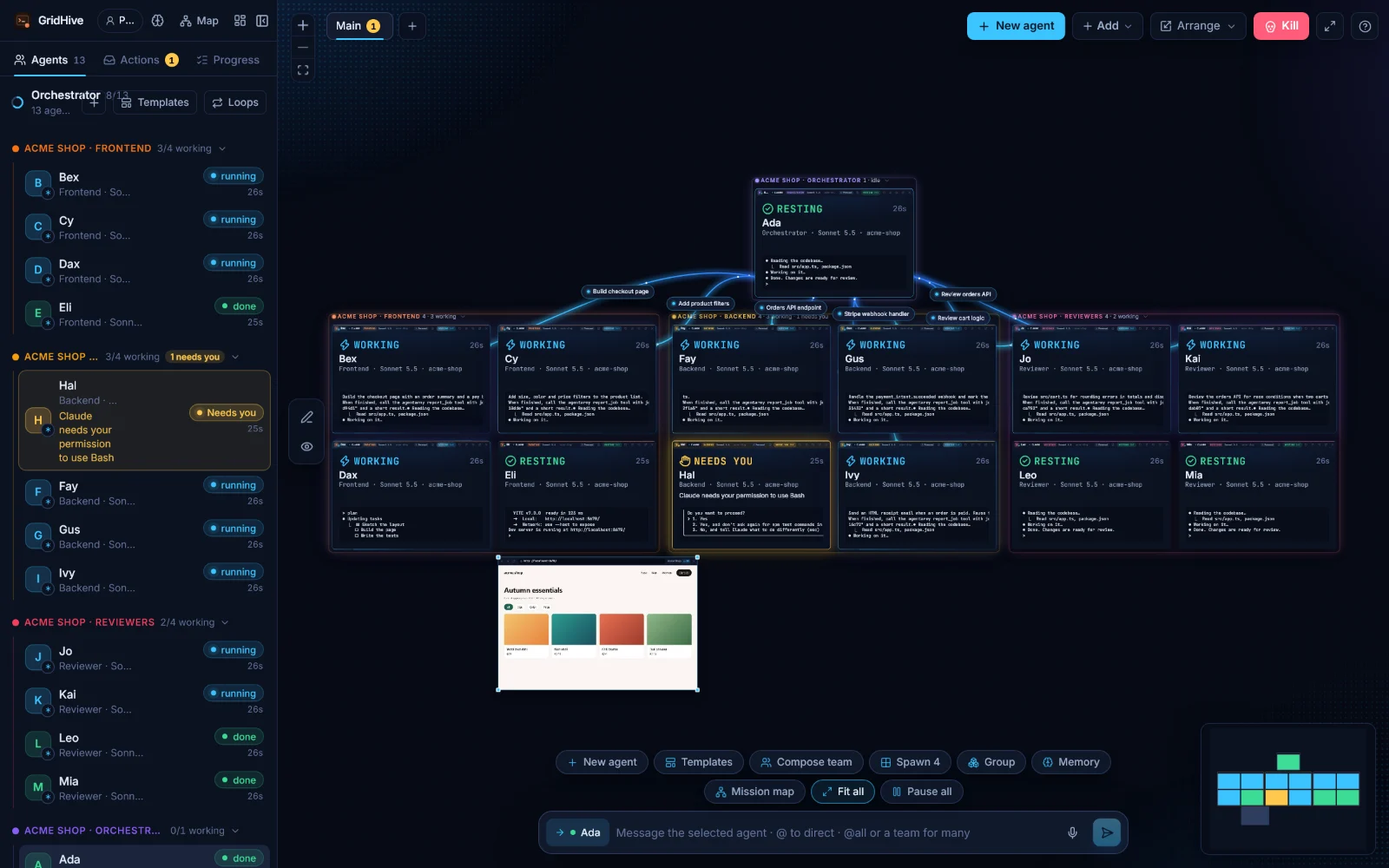
Give the orchestrator a goal. It splits the work and sends jobs to the other agents. You watch it happen on the board, and step in only when someone needs you.
- 1Launch a team
Pick a folder and a template like Dev HQ: one orchestrator plus Frontend, Backend and Reviewer agents, each in its own terminal.
- 2Jobs fly across the board
The orchestrator hands each worker a job. Every job is a live line from sender to worker, labeled with what it is.
- 3Workers report back
When a worker finishes, its report is typed into the orchestrator's terminal, which plans the next step.
Features
Everything you need to run a fleet of agents
Built for people who run five, ten or twenty agent sessions at once, across vendors, and are tired of juggling terminal windows.
-
Every agent, in a real terminal
Claude Code, Codex, Gemini CLI, Grok Build, OpenCode or any command, each the real CLI in its own terminal. Slash commands, prompts and TUIs work as usual. Mix them in one team.
-
Orchestrators that delegate
An orchestrator sends jobs to worker agents. Each job shows as an animated line, and the worker's report goes straight back.
-
Your phone as a remote New
Scan a QR code and follow every agent from your phone: read its terminal, answer "needs you" prompts, send a message, or launch a team on your computer.
-
Hand off, both ways New
Move a session from your computer to your phone and back with one tap. The agent keeps running on your computer the whole time; nothing restarts.
-
Shareable team recipes New
Share a team (roles, agents, models, first prompts) as one link or a "Run in GridHive" badge for your README. Anyone opens it in their app and sees every prompt first.
-
Loops & handoffs
Re-send a prompt on a schedule or when an agent goes idle, and brief one agent with another's work, even across vendors when one hits its limit.
-
Templates & project frames
Launch Dev HQ (13 agents), Bug squad, Docs crew and more in one click. Teams sit in labeled frames on the board.
-
Actions inbox
Answer permission prompts and questions from one list. No more hunting for the terminal that has been waiting for ten minutes.
-
Stuck-agent alerts
Spots agents that stall or run far too long, and lets you nudge, interrupt or ignore them from the inbox.
-
Progress & Mission Map
Todo progress per team, plus a map of orchestrator, teams and agents you can filter by Working, Needs you, Idle or Done.
-
Usage & budgets
Token use per board, account and model, read from Claude Code's local logs. Set daily, 5-hour or weekly budgets.
-
Several accounts per agent
Log in to several Claude, Codex or Gemini accounts. When one hits its plan limit, the agent moves to the next account, or another vendor, and picks up where it stopped.
-
A worktree per agent
Optionally give each agent its own git worktree and branch, then review the diff, commit and merge from a panel.
-
Live browser tiles
Browser tiles on the board that agents can drive, with a visible cursor. Start a dev server and a preview tile offers itself.
-
Recaps & phone pings
A daily recap to Slack or Discord. "Needs you" alerts to Slack, Discord or your phone's lock screen through the free ntfy app.
-
A real Windows & Mac app
Tray or menu bar icon, taskbar or Dock badge and native notifications. Pop consoles out to a second monitor, and pick from four themes.
Take the tour
See it in action
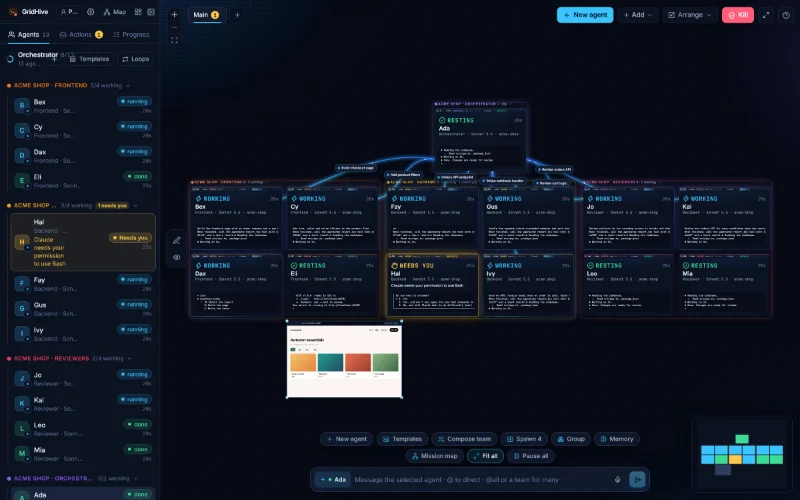
Screenshots from a demo board with 13 agents working on a fictional web shop.
Four themes
The app starts in warm Ember; the pictures on this page use cool Midnight. Prefer northern-lights green or a light board? Switch any time.
Free & local
Your machine. Your login. Your code.
GridHive is a local app, not a service. No account needed and nothing to pay for.
- No API keys. Agents run on the subscription login of each CLI. GridHive even hides ANTHROPIC_API_KEY from its terminals so you don't get billed per token by accident.
- Nothing in the cloud. The board is a local server bound to 127.0.0.1 with a per-run token. Phone access is off until you turn it on, and only phones you pair get in. Your code goes only where the agents themselves send it.
- Your settings stay yours. Hooks are passed per agent with a temporary settings file. Nothing in ~/.claude is changed.
- MIT and open source. Read every line, file issues, send pull requests, fork it.
Get started
Up and running in two minutes
Requirements
- Windows 10 or 11 (x64), or macOS 12 or later (Apple Silicon or Intel) for the desktop app
- Claude Code installed and logged in. Run claude once in a terminal first.
- Linux: run from source for now (needs Node 20+)
-
1
Download the app
Windows: GridHive-Setup-0.0.3.exe. Mac: the disk image for your chip. Not sure? Apple menu → About This Mac: "Apple M1/M2/M3/M4…" is Apple Silicon, "Intel" is Intel.
-
2
Install it, and allow it the first time
Windows: it installs for your user only, no admin needed. The app isn't code-signed yet, so Windows may show "Windows protected your PC". Click More info, then Run anyway.
Mac: open the disk image and drag GridHive to Applications. The app isn't signed by Apple yet, so the first launch is blocked: open System Settings → Privacy & Security, scroll down and click Open Anyway, then confirm. You only do this once. New versions are announced in the menu bar menu.
-
3
Launch a team
Open GridHive, click Templates, pick a folder and start Dev HQ, or add a single agent with New agent.
Run from source (Windows, macOS, Linux)
$ git clone https://github.com/customerimpact/gridhive
$ cd gridhive
$ npm install && npm run build
$ npm start   # opens the board in your browser
FAQ
Questions, answered
Is it really free?
Yes. GridHive is MIT-licensed open source. There is no subscription and no license check, and you don't need an account. You only need the plans of the agents you use.
Which agents does it support?
Claude Code, OpenAI Codex CLI, Gemini CLI, Grok Build and OpenCode, plus any command you like. Install and log in to each one from Settings → Agents & accounts. Claude Code and Codex agents can also use the orchestrator tools to hand out jobs.
Can I use it from my phone?
Yes, on the same Wi-Fi: turn on Settings → Integrations → Phone and scan the QR code. Your phone shows every agent, its terminal and its prompts, and can launch new ones; the agents keep running on your computer. Phone access from anywhere, with a free account, is coming: join the early-access list below.
What is a recipe?
A team setup in a link: roles, agents, models and first prompts. Share it with a teammate or put a "Run in GridHive" badge in your README. Opening a recipe saves it as a template and shows every prompt first; nothing starts until you press Launch. Your accounts and folders are never in the link.
Does it use my API credits?
No. Agents run each CLI on your own subscription login, just like in a normal terminal. GridHive hides ANTHROPIC_API_KEY and ANTHROPIC_AUTH_TOKEN from its terminals so Claude Code doesn't switch to pay-per-token billing by surprise.
Does it auto-approve permissions?
No. Every agent keeps its own permission prompts. GridHive tells you when one is waiting and lets you answer it from the Actions inbox.
Is there a Mac version?
Yes. Download the disk image for Apple Silicon (M1 and newer) or Intel Macs above; it needs macOS 12 or later. It isn't signed by Apple yet, so allow it once under System Settings → Privacy & Security → Open Anyway. On Linux, run GridHive from source and use it in your browser.
Where is my data stored?
On your PC. The board layout and settings live in ~/.gridhive in your home folder. Conversations stay in Claude Code's own folders. The desktop app makes one network call of its own: checking GitHub Releases for updates.
Why does Windows say "Windows protected your PC"?
The installer isn't code-signed yet, so SmartScreen doesn't recognise it. Click More info, then Run anyway. The full source and the build workflow are on GitHub if you'd rather check or build it yourself.
Is GridHive affiliated with Anthropic?
No. It's an independent open-source project and is not affiliated with or endorsed by Anthropic. "Claude" and "Claude Code" are trademarks of Anthropic.

Ready to run your hive?
Free, open source and running on your own machine in two minutes.